
Hearing loops and assistive listening for churches
Someone in your congregation has stopped coming to the sermon. They still come to the service — they sing, they greet, they stay for coffee — but somewhere in the last few years the preaching became a sound they can’t quite resolve into words, and they’ve never said so out loud. This guide is about the options for that person: the hearing loop you’ve been quoted, the FM receivers in the cabinet, and the one answer that doesn’t involve making anything louder.
What a hearing loop actually does
A hearing loop — an induction loop, in the trade — is a wire run around a seating area. It takes the feed from your sound board and turns it into a magnetic field. A hearing aid or cochlear implant with a telecoil, the setting usually marked “T”, picks that field up directly. The wearer stops hearing the room — the air conditioning, the toddler two rows up, the reverberation off a hard back wall — and starts hearing the microphone.
For the people it fits, nothing else is as graceful. There is no receiver to collect at the door, no headset to sanitize, nothing to wear that announces to the row behind you that you needed help. You sit down and flip a switch on the aids you already own.
That grace is also the catch, and it is worth saying plainly before anyone signs an installation quote: a loop only reaches people whose hearing aids have a telecoil, switched on. Many aids have one. Some don’t. Plenty of owners have never been shown the switch. And the largest group of all — members with age-related hearing loss who don’t wear an aid at all, and often haven’t told anyone they’re struggling — gets nothing from a loop, because a loop has nothing to talk to. Churches that install one generally keep a handful of loop receivers with headphones near the welcome desk for exactly that gap.
The other two hardware answers
- FM systems. A transmitter at the booth broadcasts over radio; each listener carries a receiver and headset. It reaches anyone, telecoil or not — that’s the real advantage over a loop. The cost is the handout ritual: charge them, hand them out, explain the volume wheel, collect them after the benediction, clean the earpieces, and go find the two that left in a coat pocket.
- Infrared systems. The same idea carried on light instead of radio. Because light doesn’t pass through walls, the signal stays in the room — which is why infrared shows up in buildings where confidentiality matters. Same receivers, same handout, plus a line-of-sight requirement: a pillar between the emitter and the listener is a dead zone.
Both are proven, both still work, and if your building has no usable internet or cell coverage, hardware is your practical answer and the rest of this guide matters less for you. We say the same thing in the church translation equipment guide, for the same reason.
The limit all three share
Look at what a loop, an FM system and an infrared system have in common. Every one of them carries sound. They take the audio from your board and deliver a cleaner, louder, closer copy of it to someone’s ear.
That is exactly right for a member whose hearing is diminished but whose speech comprehension is intact — turn it up and clean it up and they’re back in the sermon. It does considerably less for the member who has passed the point where volume is the problem. Louder is not clearer once the consonants have gone. For that person, and for anyone profoundly deaf, an assistive listening system is a well-engineered answer to a question they stopped asking a while ago.
The answer that isn’t sound
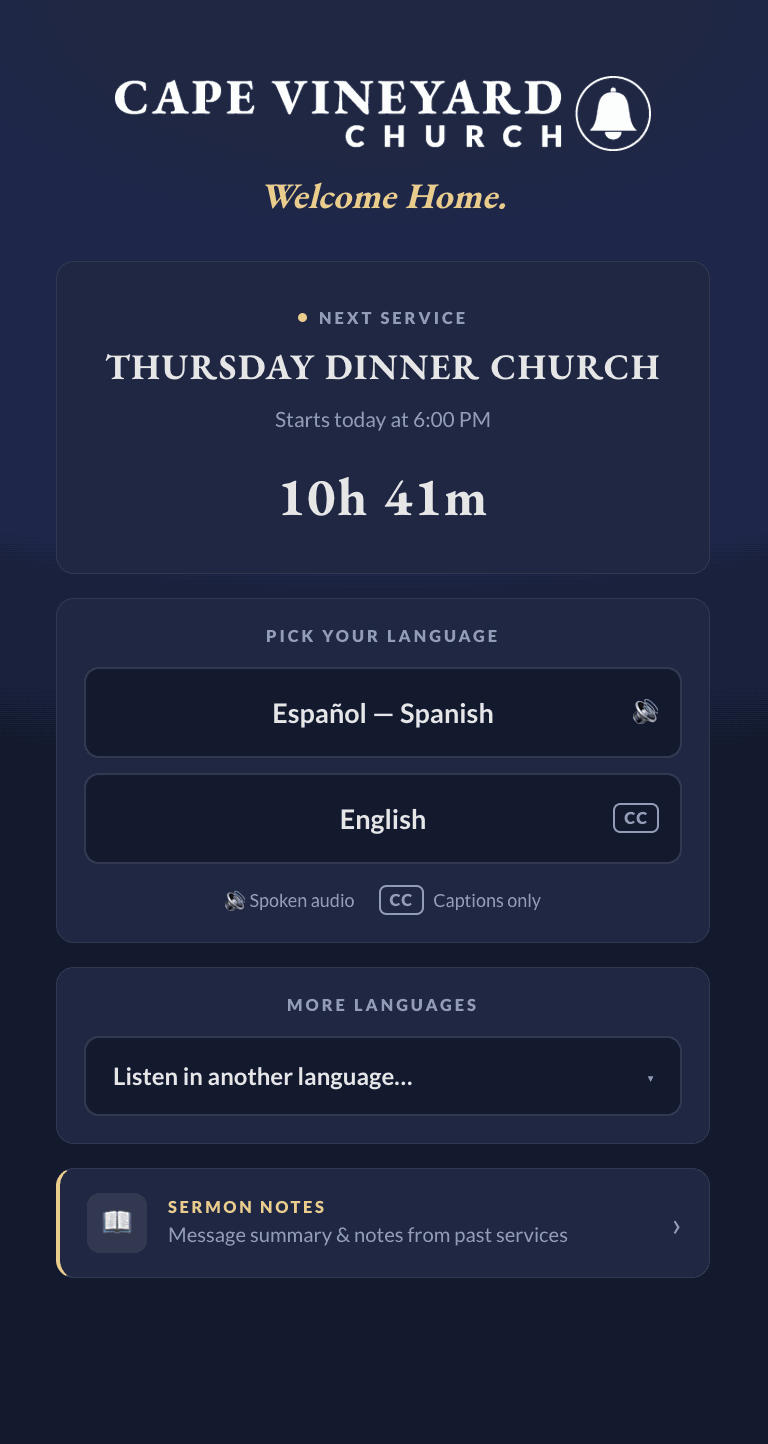
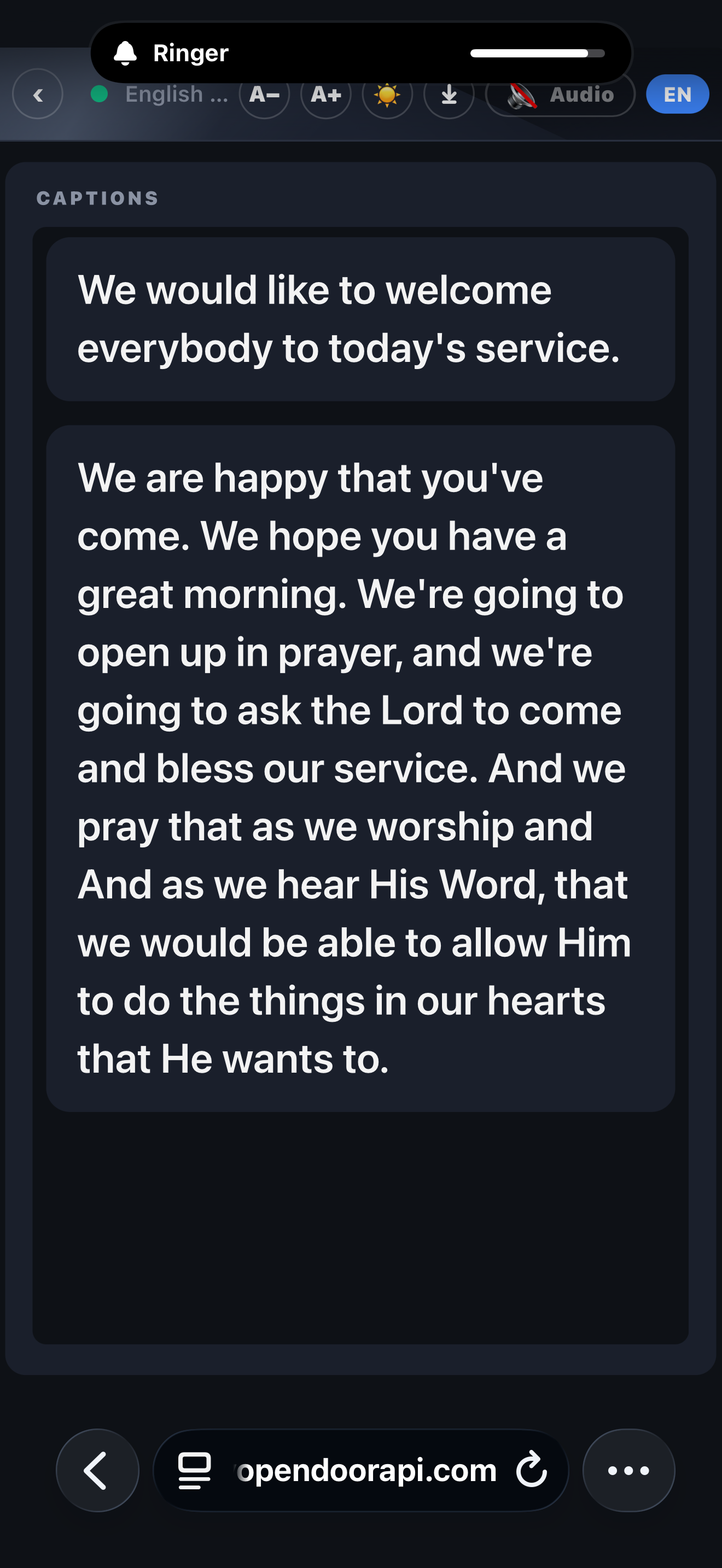
The other route is to stop amplifying and start writing. Live captioning puts the sermon on the guest’s own phone as readable text, sentence by sentence, while it’s being preached.
What that changes, practically:
- No hardware to hand out. The receiver is the phone already in their pocket. Nothing to buy for your largest crowd, charge on Saturday night, or collect on the way out.
- No telecoil, no hearing aid, no threshold to qualify. It works for a member with profound hearing loss and for the 78-year-old who has simply been nodding along politely since 2019.
- Nobody has to identify themselves. This one comes up more than churches expect. Asking for a receiver at the welcome desk is a public statement about your hearing. Scanning a QR code on the seat back is not — everyone in the room is looking at a phone anyway.
- They set their own reading pace. Font size is theirs. So is scrolling back to catch the sentence they lost while someone shuffled past them in the row.
- The same QR code serves the whole room. Captions come in 190+ languages with natural spoken voice in 60+, so the system your hard-of-hearing members use is the same one your Spanish-speaking families use. One thing to run, not two.
Captions arrive as whole sentences, about a second behind the speaker — complete thoughts rather than a line of text that rewrites itself while you’re trying to read it.
Side by side
| Hearing loop | FM / infrared | Captions on a phone | |
|---|---|---|---|
| Who it reaches | Hearing aids with a telecoil, switched on | Anyone willing to wear a receiver | Anyone with a phone |
| What each listener carries | Their own hearing aids | A receiver and headset you supply | Their own phone and earbuds |
| Weekly volunteer effort | Almost none | Charge, hand out, collect, clean | Print the QR code once |
| Growing from 10 listeners to 100 | No change | Buy 90 more receivers | No change |
| Helps when volume is no longer enough | No | No | Yes — it’s text |
| Serves other languages too | No | Only with an interpreter per language | Yes — 190+ languages |
| Works without internet | Yes | Yes | No — the booth needs a connection |
| Anything left after the service | Nothing | Nothing | A full transcript |
That last row is the one churches tend not to think about until they see it, so it gets its own section.
The words don’t disappear when the service ends
A hearing loop helps someone in the room, in the moment. When the benediction is over, the sermon is gone for them exactly as it is for everyone else — except that they were working considerably harder to hold onto it in the first place.
Text persists. On a phone-based system the guest downloads the full transcript in their own language, from the same page they were just reading, on their own phone, without asking anyone for it. The church can download the transcript from the booth as a text file or a printable page, along with the service audio. Ours also collects sermon notes and the transcript into a church-branded hub afterwards, with a browsable archive by date.
For a member who lost a sentence — because someone shuffled past, because a hearing aid battery went, because the sentence was simply too fast — that is the difference between missing it and reading it on Monday morning. No assistive listening hardware on the market does that, because carrying sound is all any of it was ever built to do.
A straight word about the legal side
Live captioning is one of the most widely adopted ways to support accessibility for Deaf and hard-of-hearing attendees, and many churches adopt it as part of a broader commitment to making services available to everyone. We deliberately don’t make legal compliance claims: whether the ADA or any other standard applies to your congregation, and what it requires, is a question for your own legal and denominational advisors. What we provide is the capability — reliable live captions at every service — that accessibility efforts are built on.
What it takes to run
- The microphone or sound-board feed you already have.
- One laptop or phone at the booth running the broadcast console in a normal browser — whoever runs your slides can run it.
- An internet connection for the booth. Wired beats wireless; if your Wi-Fi is shaky, wire the booth.
- A printed QR code — seat backs, the screen, the bulletin, the welcome desk.
There is no step five, and nothing on that list is a building project. A loop installation is construction in your sanctuary; this is a browser tab in the booth.
What it costs
Assistive listening hardware is a capital purchase — the install or the units, sized to your largest crowd, plus the charging and storage that follow it. Phone-based captioning is a subscription instead. MyOpenDoor Translate publishes every tier: plans start at $19.99/month, the Church plan is $149/month billed annually for 6 hours, there is no setup fee on any plan, and Church and Congregation carry a 15% nonprofit discount. Billing counts microphone time — the minutes actually broadcasting — so a 35-minute sermon inside a 90-minute service counts as 35 minutes. Adding listeners costs nothing inside your plan, and on Church listeners are unlimited: 200 guests cost what one costs.
The free trial is a weekend of services, with no card required, which is generally the fastest way to find out whether the members you’re thinking of will actually use it.
Frequently asked questions
What is a hearing loop in a church?
A hearing loop (also called an induction loop or audio-frequency induction loop) is a wire installed around a seating area that turns the sound system’s audio into a magnetic signal. A hearing aid or cochlear implant with a telecoil — the "T" setting — picks that signal up directly, so the wearer hears the microphone rather than the room. It is the least fussy option for the people it fits: no receiver to collect, nothing to wear beyond the aids they already have.
What are the alternatives to a hearing loop for a church?
Three, broadly. FM systems broadcast over radio to a receiver and headset you hand each listener. Infrared systems do the same over light, which keeps the signal inside the room. Phone-based live captioning takes a different route entirely — instead of amplifying sound, it puts the words on the guest’s own phone as readable text. The first two serve people who can still use amplified audio; the third serves people who would rather read, and needs no hardware handout at all.
Do hearing loops work for everyone with hearing loss?
No, and this is the honest limit of the technology. A loop only reaches hearing aids and implants that have a telecoil and have it switched on. Many aids include one; some do not, some owners have never been shown the switch, and anyone with untreated or age-related hearing loss who does not wear an aid at all gets nothing from a loop. Churches that install one usually keep a few loop receivers with headphones on hand for exactly that reason.
Can live captions replace an assistive listening system at church?
They answer a different question, and for many congregations they answer the more common one. Assistive listening makes the sermon louder and cleaner for someone who can still process speech. Captions make it readable, which works regardless of hearing aids, telecoils or how much hearing a person has left. Plenty of churches run both — a loop for the members it fits, captions for everyone else. What captions do not replace is a sound system: they read from it.
Do captions support ADA accessibility efforts?
Live captions are a widely used way to support accessibility and make services easier to follow for Deaf and hard-of-hearing attendees. Whether any specific legal standard applies to your congregation is a question for your own legal and denominational advisors — we provide the captioning capability, not legal guidance.
What does a church need to run live captions?
The audio feed you already have from the sound board, one laptop or phone in the booth running a browser, an internet connection for the booth, and a printed QR code. Guests scan it and read live captions in 190+ languages, or listen to a natural spoken voice in 60+, through their own earbuds — no app, no account, no hardware to hand out. MyOpenDoor Translate starts at $19.99/month, and the Church plan is $149/month billed annually for 6 hours, with no setup fee and a 15% nonprofit discount on Church and Congregation plans.
Can a hard-of-hearing member keep a copy of the sermon?
With hardware, no — a loop or an FM receiver carries sound in the moment and leaves nothing behind. With captions on a phone, yes: the guest downloads the full transcript in their own language from the same page they were reading, and the church can download the transcript and the service audio from the booth afterwards. For someone who lost part of a sentence, that is the difference between missing it and reading it again on Monday.
Related reading: live captions for every service, what church translation equipment you actually need, and how to translate a church service in real time.