
AI translation is often an awkward fit in the sound booth — it doesn’t have to be
Ask the person who actually runs your Sunday what they think of adding live translation, and you’ll hear the real objection — not about translation quality, but about the booth: another laptop, another feed to pull off the board, another screen to babysit through the sermon, another thing that can fail at 9:04 on a Sunday morning. That objection is fair. A lot of translation setups really are awkward guests in the booth. Here’s why — and what a setup that respects the booth looks like instead.
Why it feels awkward
The sound booth already runs at full attention on a Sunday: the mix, the slides, the stream, the wireless mics that pick the worst moments to misbehave. Translation setups get resented when they add to that load in three specific ways:
- They demand a babysitter. If the translation needs someone watching it — restarting it, re-syncing it, wondering if it’s still working — it’s competing with the mix for the one pair of hands you have.
- They complicate the audio path. Anything that asks the booth to build a separate mix, re-patch the board, or run new hardware into the chain is asking the most careful person in your building to take a risk on Sunday morning.
- They fail silently. The worst version: the room finds out at the benediction that the Spanish feed died twenty minutes in, and nobody in the booth had any way to know.
What a booth-friendly setup looks like
Each of those three has a direct answer, and together they’re the test to hold any translation system to — ours included:
- It should run itself on a normal Sunday. With the weekly schedule set, the service starts on its own when the booth is connected with the mic on, and ends on its own at the scheduled time. Running long is one tap (+10 min). The manual path is one tap too — Start Now. If your operator can run a Sunday, they can run this; most services are three taps, total.
- It should take the feed you already have. One line out from the board — or a USB mic, or a wireless lavalier into a phone. No separate mix, no new hardware in the chain, nothing about the board’s job changes. (The complete equipment list is four items; three of them you already own.)
- It should show its health, honestly. A signal bar confirms the mic is being heard; a health indicator is green while everything flows and flags problems when they happen; a listener count by language shows you the room is actually receiving. The booth can glance and know — not wonder.
Set-it-once controls, not ride-it-live controls
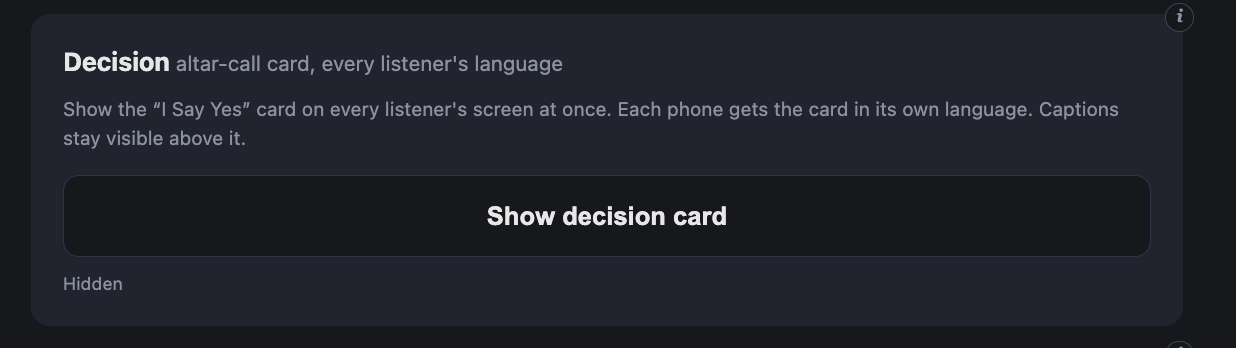
The other mark of a booth-friendly system is when its controls need touching. Voice choice, speech rate, and pacing — how patiently the system waits through a preacher’s pauses before finishing a sentence — are sound-check decisions, set once and left alone. A control you tune on Tuesday is a convenience; a control you have to ride during the sermon is a burden. The console keeps its controls in the first category, and the few live moments it does have — showing an announcement, pushing a decision card — can be handed off by QR code to a volunteer’s phone, so even those never have to live in the booth.
The one thing worth doing deliberately: the connection
The honest fine print of any internet-based system is the internet. Two rules cover it: wire the booth if your Wi-Fi is shaky, and keep the booth’s connection off the guest network, so a lobby full of phones never competes with the broadcast. That’s a one-time decision when you set up — not a Sunday task.
The fair test
Don’t take any of this on faith — ours or anyone’s. The test that settles it is a real service with your real board: pull the line out at sound-check, let your actual operator run it, and see whether the booth even notices it’s there by the third song. Our free weekend trial exists for exactly that test, and the console walkthrough shows your AV lead every control before Sunday.
Frequently asked questions
What does the sound booth actually have to do during the service?
On a normal Sunday with a schedule set: nothing. The service can start on its own when the booth is connected with the mic on, and it ends on its own at the scheduled time. Running long is one tap (+10 min). The most common manual path is also one tap — Start Now.
Does live translation need its own audio mix?
No. It needs one clean feed of the speaking mic — a line out from the board you already run, or a USB mic, or a wireless lavalier into a phone. There’s no separate mix to ride during the service; the board’s job doesn’t change.
Who runs the translation if my AV volunteer is already busy?
The console was built so whoever runs your slides can run it — most services are three taps, and a signal bar plus a green health light tell you at a glance that everything is flowing. Announcements can even be handed off by QR code to a volunteer’s phone, so the booth doesn’t carry that either.
What equipment does the booth need for AI translation?
A laptop with a browser, the audio feed above, and an internet connection — wired if your Wi-Fi is shaky, and kept separate from the guest network so a crowded lobby never competes with the broadcast. The full list is in the equipment guide; there is no receiver rack or transmitter to add.
What if the person speaking is fast, or pauses a lot?
A pacing control tunes how patiently the system waits before finishing a sentence: Quick for fast speakers, Standard for most, Careful for deliberate preachers who pause mid-thought — so sentences aren’t cut off. Set it once at a sound-check; it isn’t something to ride live.
Related reading: using the broadcast console, church translation equipment: what you actually need, and helping your listeners get the best experience.